7 Ways to Reduce SaaS Spending in 2025
Explore effective strategies to reduce rising SaaS costs, including subscription audits, contract negotiations, and optimizing software usage.


SaaS costs are rising fast - the average company now spends $8,700 per employee annually on software, and nearly 30% of those expenses go unused. With SaaS inflation at 11.8%, businesses must act to avoid wasting money on unused tools and hidden price hikes.
Here’s how you can cut SaaS expenses in 2025:
- Audit subscriptions every 3 months: Identify unused licenses, duplicate tools, and auto-renewals.
- Negotiate long-term contracts: Secure discounts of 10–20% and lock in pricing.
- Use tools like StackCost: Get a clear view of your service costs, manage renewals, and uncover opportunities to reduce waste.
- Control access by department: Assign licenses based on actual needs to avoid over-purchasing.
- Eliminate redundant tools: Consolidate software with overlapping functions.
- Monitor renewals proactively: Set alerts to avoid surprise charges and missed cancellations.
- Track shadow IT: Identify and manage unauthorized software purchases.
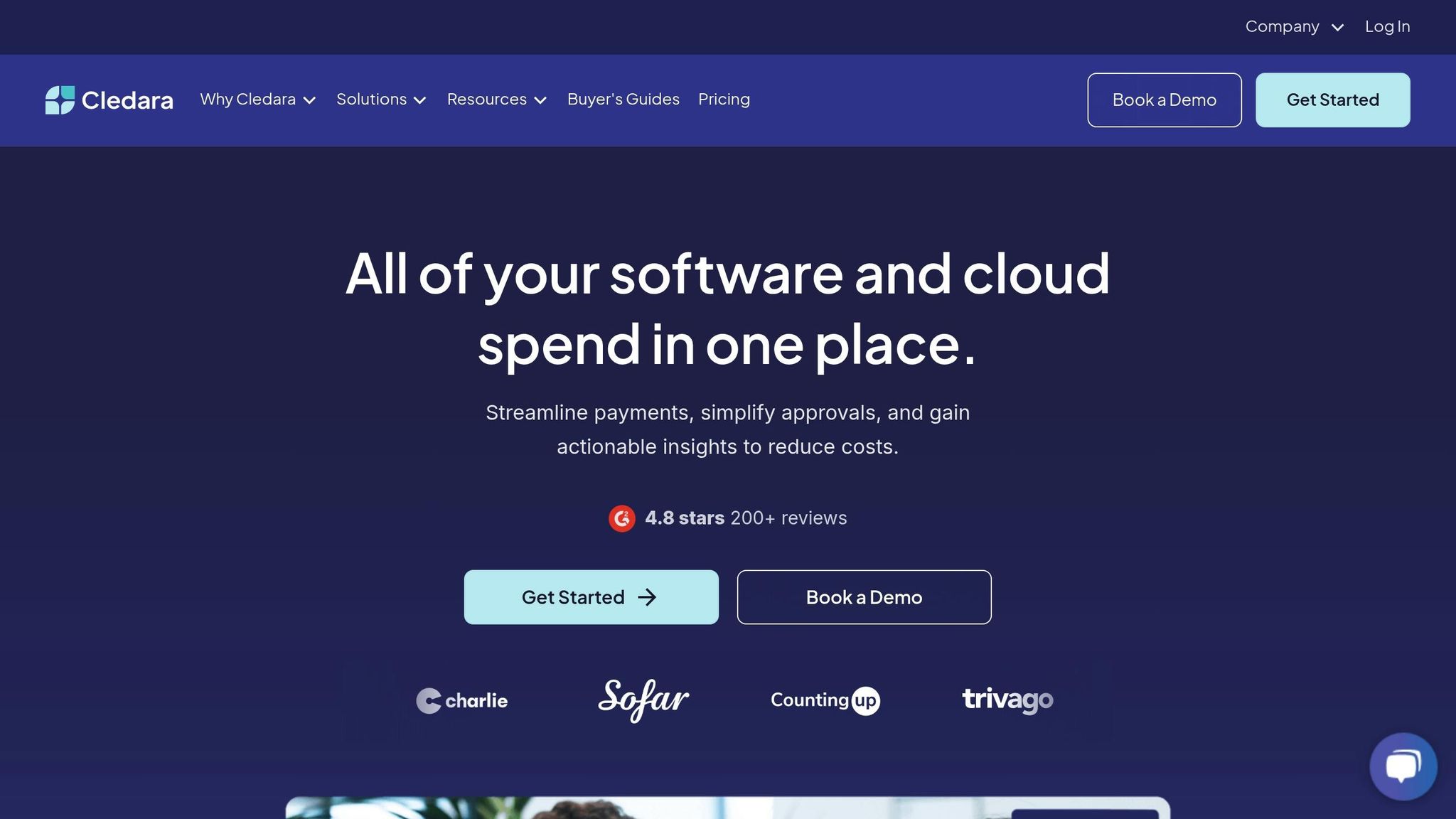
Optimizing Costs with Cledara - How to cut software spend
1. Review SaaS Subscriptions Every 3 Months
Quarterly reviews of SaaS subscriptions are a must. Why? Because 30% of SaaS spending goes to waste, and 71% of companies don’t even realize how much they’re actually using. On average, organizations only utilize 56% of their SaaS licenses, leading to massive financial losses. For instance, companies with 1–500 employees waste about $1.5 million annually, while those with 501–2,500 employees lose around $7.6 million per year.
Take Loam, an AI startup, as an example. By auditing their SaaS expenses, they slashed their monthly costs from $70,000 to $35,000 in 2023. This move gave them an extra six months of financial runway.
"Every time I hire an employee, besides the typical thing where you're thinking about their salary and benefits, you are now actually … thinking about the SaaS licenses" like Gmail and Slack... "The world is overly SaaS-ed." - Birju Shah, CEO of Loam
Here’s how to run an effective quarterly review:
- Survey tool usage: Ask department heads about the tools they use and compare active accounts with purchased licenses.
- Check payment records: Look for forgotten subscriptions.
- Monitor renewal dates: Keep track of deadlines and cancellation terms.
- Centralize findings: Record all insights in one place for easy access.
These reviews often uncover surprising savings opportunities. For example:
| Area | Typical Issue | Potential Solution |
|---|---|---|
| Enterprise Licenses | 70% of users only need basic features | Downgrade premium accounts to basic plans |
| Duplicate Tools | Different departments using tools for the same job | Consolidate into a single tool |
| Inactive Accounts | Accounts of former employees remain active | Set up strict offboarding protocols |
| Auto-renewals | Missed cancellation deadlines | Track renewal dates to avoid unnecessary charges |
One company thought they were using about 50 SaaS tools. After a review, they found over 200 active subscriptions. By consolidating tools and improving management, they cut their SaaS spending by 30%.
To get the most out of these reviews, ensure clear communication between IT, procurement, and business teams. Regularly monitor usage metrics and contract terms. This process not only uncovers hidden costs but also lays the groundwork for even greater savings in the future.
2. Get Better Rates with Long-Term Contracts
Opting for multi-year contracts can often lead to discounts in the range of 10-20%. To secure the best possible terms, preparation and strategic negotiation are key.
Take a look at what successful companies focus on during negotiations to maximize savings:
| Contract Element | What to Negotiate | Potential Benefit |
|---|---|---|
| Usage Flexibility | Pay-per-use model | Only pay for actual consumption |
| Price Protection | Locked-in rates | Avoid unexpected price increases |
| Growth Planning | Pre-negotiated pricing table | Predictable costs as you scale |
| Service Quality | Guaranteed uptime & response times | Maintain performance standards |
| Rollover Terms | Unused service credits | Maximize the value of prepaid services |
These elements lay the groundwork for a stronger, more detailed contract strategy. Ideally, you should begin negotiations at least three months before renewal, or even a year in advance.
"The bottom line is most companies end up giving an additional 10–20% discount for multi-year contracts." - Jason Lemkin
How to Strengthen Your Negotiating Position
-
Gather Usage Data
Collect detailed metrics to back up your negotiations. This includes:- Monthly active users
- Feature utilization rates
- Peak usage periods
- Growth projections
-
Structure the Agreement
When drafting the contract, focus on key areas like:- Removing auto-renewal clauses
- Negotiating professional services separately
- Including service-level credits
- Securing longer payment terms
-
Add Protective Measures
Build safeguards into the contract to ensure flexibility and reliability:- Lock in price protections
- Negotiate rollover terms for unused credits
- Set clear service-level agreements (SLAs)
- Define options for scaling usage
Before finalizing the deal, thoroughly evaluate the vendor's reputation, track record, and support quality. For usage-based pricing, negotiate conservative estimates to avoid overcommitting. Additionally, include performance guarantees, such as minimum uptime percentages and maximum response times, to hold the vendor accountable.
3. Use StackCost to Monitor Costs and Optimize Spending
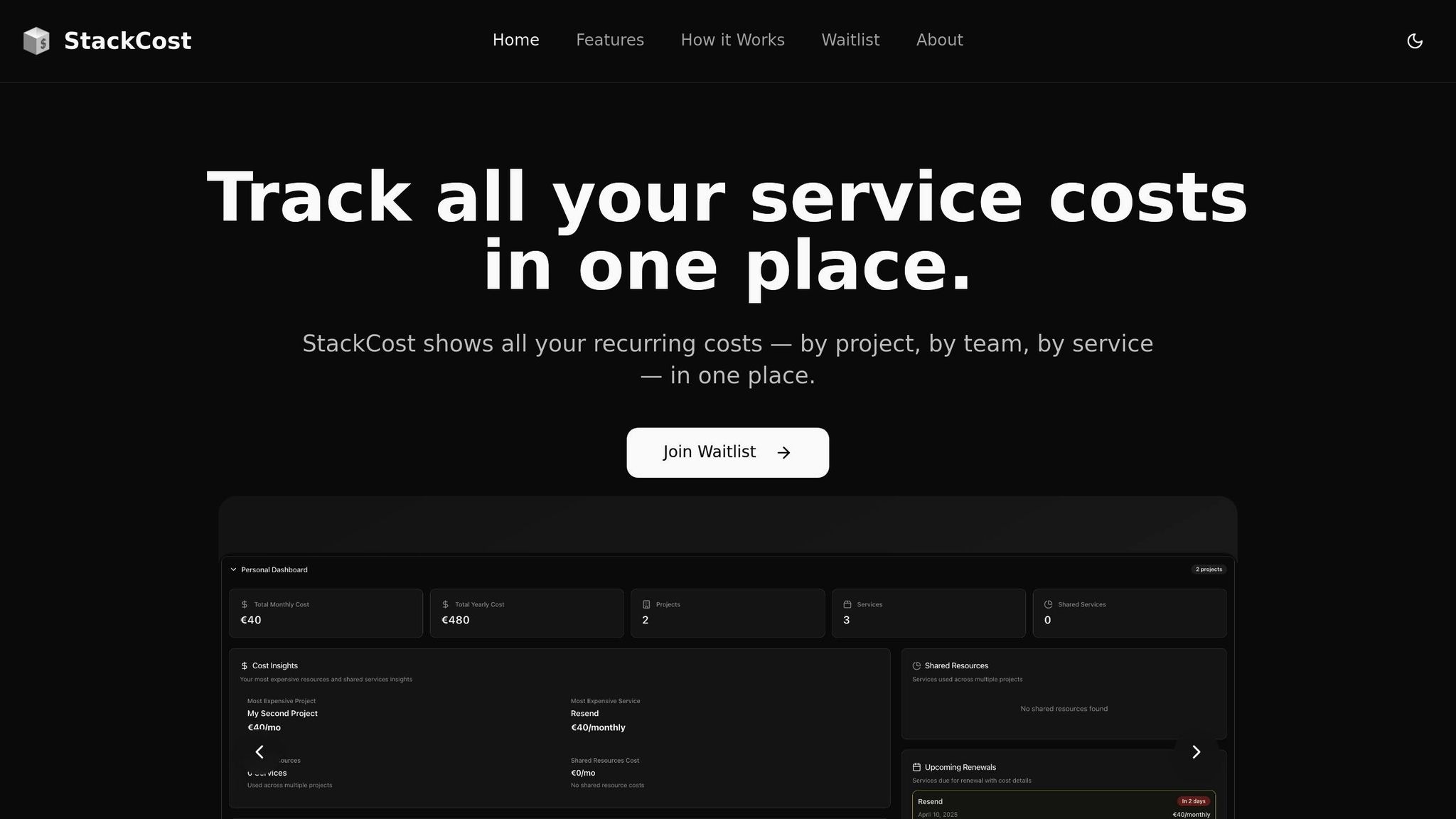
Cutting unnecessary SaaS costs can feel like chasing shadows—but with StackCost’s unified cost visibility and AI-powered insights, you could save up to 30% on wasted spend, identify waste, consolidate services, and make smarter spending decisions. By organizing expenses by project and surfacing optimization opportunities, StackCost helps businesses eliminate inefficiencies and stay financially lean.
Understanding SaaS Spending Patterns
StackCost helps you analyze service costs across your projects to make smarter decisions and reduce waste. Rather than tracking license-level activity, it focuses on financial visibility and intelligent cost management. Here's what you can track:
| Spending Insight | What It Shows | How It Saves Money |
|---|---|---|
| Project-Level Allocation | Automatically splits shared costs across projects | Reveals which initiatives are driving the most expenses |
| Billing Frequency | Monthly, yearly, and one-time payment tracking | Helps consolidate or renegotiate billing terms |
| Renewal Timelines | View all upcoming renewals in one place | Prevents missed cancellations and surprise charges |
| Tool Overlap | Identifies duplicate or similar services | Suggests where to consolidate and reduce spend |
These insights highlight inefficiencies and enable strategic cost reduction—without the need for granular usage tracking.
Smart Cost Optimization with StackCost
StackCost provides AI-assisted recommendations to streamline your software stack and eliminate waste. While it doesn't track per-user activity, it still helps uncover opportunities for savings through smarter planning:
- Flag Potentially Unused Tools: Services not recently associated with active projects can be reviewed for cancellation.
- Highlight Redundant Subscriptions: Surface tools with overlapping functionality to consolidate or replace.
- Forecast Spending Trends: Identify rising costs across teams or projects and plan accordingly.
Best Practices for Managing SaaS Costs with StackCost
To maximize results:
- Set alerts for upcoming renewals and billing changes.
- Regularly review project-level expenses to find misaligned tools.
- Leverage AI suggestions to reduce overlap and adjust spend.
- Revisit tool usage at the end of each project to reclaim budget.
4. Set Up Department-Based Access Levels
Managing SaaS costs becomes much easier when you tailor software access based on department needs. For companies with 500–1,000 employees, typically using 300–400 apps and spending $5 million to $15 million annually on SaaS tools, controlling access is a crucial way to keep costs in check. This strategy ensures that software access is aligned with actual usage, building on earlier optimization efforts.
Implementing Role-Based Access Control
To set up department-specific access effectively, it's important to understand how each team uses SaaS tools. Here's a breakdown of typical departmental needs:
| Department | Required Access | Cost Impact |
|---|---|---|
| Marketing | Full access to creative and analytics tools | Reduces duplicate software licenses |
| Sales | Access to CRM and communication platforms | Cuts unnecessary tool access |
| Engineering | Access to development and testing tools | Optimizes expensive technical licenses |
| HR | Access to personnel management systems | Limits premium features to essential staff |
By matching access to actual requirements, you can avoid unnecessary spending while ensuring teams have the tools they need.
Shared License Strategy
Another effective way to cut costs is by using shared licenses. This approach allows you to save money without sacrificing productivity. Here’s how it works:
- Pool resources: Consolidate similar tools to eliminate duplicate purchases.
- Time-based access: Allocate licenses on a schedule to minimize simultaneous usage.
- Monitor usage: Analyze patterns to redistribute licenses where they’re most needed.
This method not only reduces expenses but also ensures better utilization of the licenses you already have.
Security and Compliance Benefits
Managing access properly doesn’t just save money - it also strengthens your organization's security and compliance efforts. Key benefits include:
- Reducing shadow IT spending by controlling unauthorized app usage
- Lowering security risks by restricting unnecessary access
- Ensuring compliance with software licensing agreements
- Simplifying onboarding and offboarding processes
Best Practices for Access Management
To keep access streamlined and cost-effective, implement these practices:
- Regularly review and update access permissions to reflect current needs.
- Automate access provisioning and removal when roles change.
- Assign unique user IDs to track individual usage.
- Maintain a centralized record of access rights for transparency and control.
5. Remove Duplicate Software Functions
After addressing department-based access controls, another effective way to reduce SaaS expenses is by eliminating redundant software functions. Identifying and cutting out overlapping tools can significantly lower costs.
Common Overlap Areas
Many businesses unknowingly pay for multiple tools that serve the same purpose across different departments. Here are some common areas where overlaps occur:
| Function Type | Common Redundancies |
|---|---|
| Collaboration | Slack, Confluence, Basecamp |
| Video Conferencing | Zoom, Google Meet, Microsoft Teams |
| Project Management | Asana, Trello, Jira, Monday |
| File Sharing | Dropbox, Box, OneDrive |
Streamlining Redundancies: A Step-by-Step Process
Consolidating redundant software isn’t just about saving money - it also simplifies operations and boosts efficiency. Here’s a systematic approach to tackle this issue:
- Feature Analysis: Start by mapping out the core features, use cases, and integrations of each tool. This helps in spotting overlaps and identifying which tools are truly essential.
- Usage Evaluation: Dive into departmental usage data. Look at active features, peak usage times, integration requirements, and user workflows to understand what’s being used and what’s not.
- Platform Standardization: Choose platforms that are cost-effective, widely adopted by users, and integrate well with your existing systems. Consolidating onto a few robust tools often yields better results.
"Inefficient redundancies in the SaaS stack result in unnecessary costs, operational inefficiencies, and increased security risks. Streamlining these redundant SaaS applications is crucial for IT managers, ensuring optimal resource utilization and protecting organizational operations against potential security vulnerabilities."
- Sreenidhe S.P, Content Writer, Zluri
Best Practices for Consolidation
When consolidating, focus on tools that integrate seamlessly with your core systems and can handle multiple functions. Standardizing your software suite not only reduces costs but also ensures operational clarity and efficiency.
6. Monitor Renewals with StackCost
With over 40% of companies relying on more than 50 SaaS tools, keeping track of renewals can quickly become overwhelming. StackCost simplifies this process with its renewal tracking feature, helping businesses avoid surprise charges and manage their subscription spending through automated alerts.
Setting Up a Proactive Renewal Strategy
To steer clear of unfavorable contracts, it's recommended to start planning renewals 90–120 days before their due dates. StackCost streamlines this process by offering:
- Automated Notifications: Set up tailored alerts for upcoming payments and renewal dates.
- Spending Forecasts: Monitor expense trends to anticipate future costs effectively.
- Contract Management: Keep all your SaaS agreements organized and accessible in one location.
Building an Effective Renewal Calendar
Managing renewals becomes much easier with a well-structured calendar. StackCost supports planning across varying timeframes:
| Timeline | Planning Focus | Key Actions |
|---|---|---|
| Quarterly | Strategic Review | Assess your overall SaaS portfolio and align it with your budget priorities. |
| Monthly | Tactical Planning | Focus on upcoming renewals and prepare negotiation strategies. |
| Weekly | Immediate Action | Handle urgent renewal notices and payment obligations. |
Incorporating these calendar insights into your broader cost management efforts can lead to more effective negotiations and better financial outcomes.
Maximizing Cost Savings
By actively managing renewals with StackCost, businesses can negotiate stronger contracts and achieve deeper savings. As Ken Lownie, a SaaS services expert, explains: "In the subscription economy, the connection between your customer success and your success is much more direct".
Best Practices for Renewal Management
To complement your SaaS expense management strategy, consider the following practices:
- Regular Transaction Monitoring: Keep a close eye on transaction records to identify spending trends and catch unauthorized renewals early.
- Integration with Spending Controls: Link your renewal tracking to broader financial management systems to maintain oversight and prevent automatic renewals for unused tools.
- Right-Sizing Subscriptions: Leverage StackCost's analytics to analyze usage patterns and avoid paying for licenses that aren't being used. With SaaS spending expected to hit $195 billion in 2023, optimizing your subscriptions is more important than ever.
7. Use StackCost’s AI Tools to Find Smarter Alternatives
StackCost includes a suite of AI-powered features that help you reduce spend, eliminate waste, and improve software decisions—without the guesswork.
Smarter Suggestions, Less Waste
-
Service Alternatives
Discover lower-cost or better-fit alternatives to tools you're currently using—based on real usage and industry context. -
Project Service Suggestions
Get AI-driven recommendations for which services to use per project, helping teams avoid redundancy and choose efficiently from the start. -
Cost Optimization Report
Automatically highlights services that may be over-budget, overlapping, or underused—so you can make confident calls on what to cut or consolidate.
Why It Works
Instead of waiting for overspending to become a problem, StackCost helps you proactively identify better options, optimize allocations, and spend smarter across all levels—individual, team, and organization.
Best Practices
- Review your Cost Optimization Report monthly.
- Use Service Alternatives before renewing high-cost tools.
StackCost’s AI isn’t just smart—it’s practical. It turns complex cost decisions into clear, actionable insights you can trust.
Conclusion
With SaaS spending projected to hit a staggering $299 billion by 2025, and nearly 29% of that investment going unused, managing software expenses is no longer optional - it's essential. The average company juggles around 275 applications while adding seven new ones every month. On top of that, 30% of user-based SaaS fees are tied up in unused licenses. Clearly, there's a lot of room for improvement.
Implementing Your Cost-Reduction Strategy
If you're looking to get your SaaS spending under control, here are some practical steps to follow:
-
Target High-Impact Areas First
Start with Tier One applications - those that are critical to your operations and account for the largest portion of your budget. Tools like StackCost's unified dashboard can help you pinpoint these key areas and monitor their usage effectively. -
Institute Regular Review Cycles
Set up a consistent process to evaluate your SaaS portfolio. As Kala Dikibo, Managing Director at Telso Procurement, explains:"Procurement can achieve cost savings by consolidating spend as different parts of the business may be ordering the same products and services from different suppliers".
-
Make Data-Driven Decisions
Use insights from platforms like StackCost to make smarter choices. These tools can help you:- Get a clear view of service costs across projects
- Identify overlapping or redundant tools
- Track and manage upcoming renewals with automated alerts
Long-Term Success Factors
Achieving long-term savings requires more than a one-time effort. As noted, "SaaS cost management is an ongoing process, not a one-time effort". The real key lies in fostering a mindset of continuous improvement. By using tools like StackCost and focusing on optimization, businesses can address the estimated 35% of cloud spending that currently goes to waste.
FAQs
How can businesses avoid paying for unused SaaS licenses?
To keep from wasting money on unused SaaS licenses, businesses need to stay on top of software usage and spot subscriptions that aren’t being fully utilized. Regular audits can help ensure the number of licenses matches what employees actually need. If any licenses are sitting idle, reclaiming or reassigning them is a smart move.
One way to make this process easier is by automating usage tracking. Tools that send alerts for inactivity or upcoming renewal dates can save both time and money by flagging issues early. On top of that, businesses should focus on aligning their software tools with their overall goals. Providing employees with proper training can also boost adoption rates and cut down on wasted resources.
How can businesses negotiate better pricing and terms for SaaS contracts?
To get better deals on SaaS contracts, consider committing to longer-term agreements - vendors often offer discounts for extended commitments. Another strategy is to ask for bundled services, which can provide more for your money. You might also negotiate for future licenses at a reduced rate or request improved support terms to cut costs.
Timing matters too. Vendors are typically more open to negotiation near their fiscal year-end when they’re eager to close deals. Make sure to come to the table armed with usage data and a clear picture of your business needs. This preparation can give you a stronger negotiating position.
How can StackCost help organizations reduce SaaS waste and improve decision-making?
StackCost gives teams a clear, structured view of all their active services and associated costs—organized by project, team, or organization. With features like AI-powered cost optimization, service alternatives, and renewal tracking, it helps organizations identify overlapping tools, spot inefficiencies, and make smarter decisions before waste happens.
By centralizing cost visibility and surfacing actionable insights, StackCost empowers businesses to stay lean, avoid unnecessary spend, and ensure every tool supports actual needs.